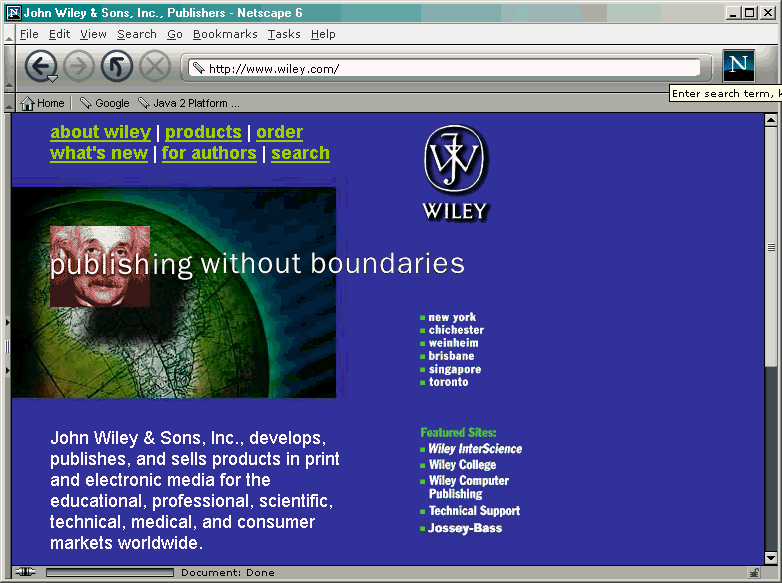
標示 (Markup) 是透過在文章中插入標籤 (由 < 與 > 所括住的文字) 來賦予文字一些特性,如標題,段落,連結等等。
例如
Java is an <i>object-oriented</i> programming language
Java is an object-oriented programming language
<img src="hamster.jpeg" width="640" height="480"
alt="A photo of Harry, the horrible hamster" />
<a href="http://java.sun.com">Java</a> is an . . .
<applet code="HamsterApplet.class" width="640" height="480">
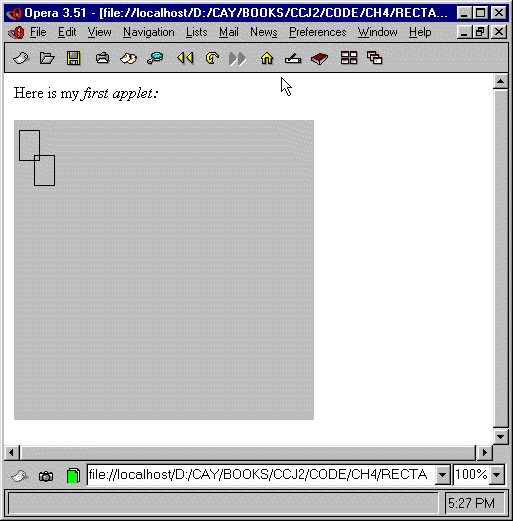
<applet code="RectangleApplet.class"></applet>
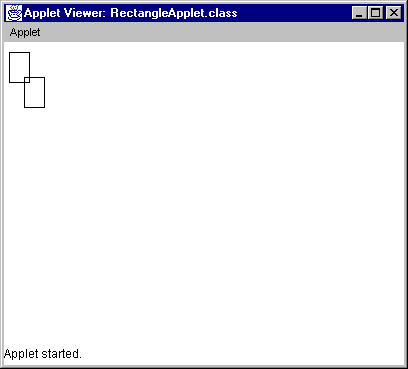
class MyApplet extends Applet
{
   public void paint(Graphics g)
   {
      Graphics2D g2 = (Graphics2D)g;
      // add drawing operations
      . . .
   }
}
import java.applet.Applet;
import java.awt.Graphics;
import java.awt.Graphics2D;
import java.awt.Rectangle;

/**
   An applet that draws two rectangles.
*/
public class RectangleApplet extends Applet
{
   public void paint(Graphics g)
   {
      // recover Graphics2D

      Graphics2D g2 = (Graphics2D)g;

      // construct a rectangle and draw it

      Rectangle cerealBox = new Rectangle(5, 10, 20, 30);
      g2.draw(cerealBox);

      // move rectangle 15 units sideways and 25 units down

      cerealBox.translate(15, 25);

      // draw moved rectangle

      g2.draw(cerealBox);
   }
}
示範:
import java.awt.geom.Ellipse2D; // no .Double
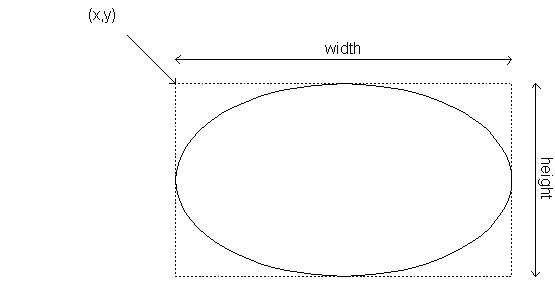
Point2D.Double from = new Point2D.Double(x1, y1);畫粗線 Draw thick lines:
Point2D.Double to = new Point2D.Double(x2, y2);
Line2D.Double segment = new Line2D.Double(from, to);
g2.setStroke(new BasicStroke(4.0F)); // 4 pixels
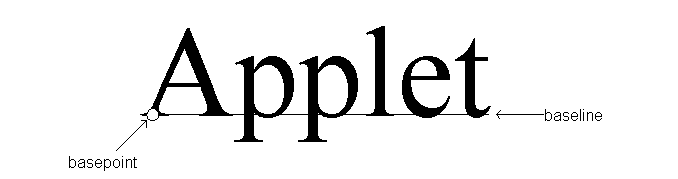
g2.drawString("Applet", 50, 100);
g2.setFont(new Font("Serif", Font.BOLD, 36));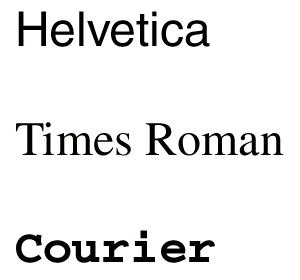
標楷體
細明體
隸書體
import java.applet.Applet;
import java.awt.Graphics;
import java.awt.Graphics2D;

/**
   This applet draws two car shapes.
*/
public class CarApplet extends Applet
{
   public void paint(Graphics g)
   {
      Graphics2D g2 = (Graphics2D)g;

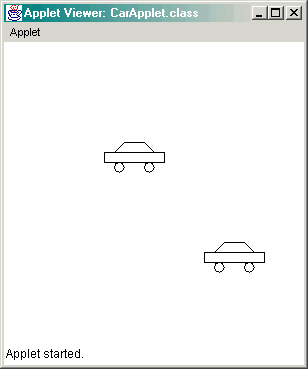
      Car car1 = new Car(100, 100);
      Car car2 = new Car(200, 200);

      car1.draw(g2);
      car2.draw(g2);
   }
}
import java.awt.Graphics2D;
import java.awt.geom.Ellipse2D;
import java.awt.geom.Line2D;
import java.awt.geom.Point2D;
import java.awt.geom.Rectangle2D;

/**
   A car shape that can be positioned anywhere on the screen.
*/
public class Car
{
   /**
      Constructs a car with a given top left corner
      @param x the x coordinate of the top left corner
      @param y the y coordinate of the top left corner
   */
   public Car(double x, double y)
   {
      xLeft = x;
      yTop = y;
   }

   /**
      Draws the car
      @param g2 the graphics context
   */
   public void draw(Graphics2D g2)
   {
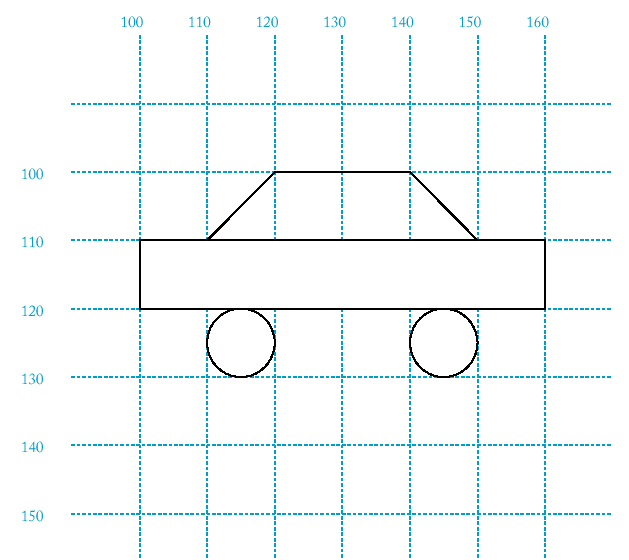
      Rectangle2D.Double body
         = new Rectangle2D.Double(xLeft, yTop + 10, 60, 10);
      Ellipse2D.Double frontTire
         = new Ellipse2D.Double(xLeft + 10, yTop + 20, 10, 10);
      Ellipse2D.Double rearTire
         = new Ellipse2D.Double(xLeft + 40, yTop + 20, 10, 10);

      // the bottom of the front windshield
      Point2D.Double r1
         = new Point2D.Double(xLeft + 10, yTop + 10);
      // the front of the roof
      Point2D.Double r2
         = new Point2D.Double(xLeft + 20, yTop);
      // the rear of the roof
      Point2D.Double r3
         = new Point2D.Double(xLeft + 40, yTop);
      // the bottom of the rear windshield
      Point2D.Double r4
         = new Point2D.Double(xLeft + 50, yTop + 10);

      Line2D.Double frontWindshield
         = new Line2D.Double(r1, r2);
      Line2D.Double roofTop
         = new Line2D.Double(r2, r3);
      Line2D.Double rearWindshield
         = new Line2D.Double(r3, r4);

      g2.draw(body);
      g2.draw(frontTire);
      g2.draw(rearTire);
      g2.draw(frontWindshield);
      g2.draw(roofTop);
      g2.draw(rearWindshield);
   }

   private double xLeft;
   private double yTop;
}
示範:
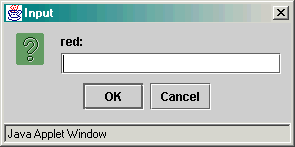
import java.applet.Applet;
import java.awt.Color;
import java.awt.Graphics;
import java.awt.Graphics2D;
import java.awt.Rectangle;
import javax.swing.JOptionPane;

/**
   An applet that lets a user choose a color by specifying
   the fractions of red, green, and blue.
*/
public class ColorApplet extends Applet
{
   public ColorApplet()
   {
      String input;

      // ask the user for red, green, blue values

      input = JOptionPane.showInputDialog("red:");
      float red = Float.parseFloat(input);

      input = JOptionPane.showInputDialog("green:");
      float green = Float.parseFloat(input);

      input = JOptionPane.showInputDialog("blue:");
      float blue = Float.parseFloat(input);

      fillColor = new Color(red, green, blue);
   }

   public void paint(Graphics g)
   {
      Graphics2D g2 = (Graphics2D)g;

      // select color into graphics context

      g2.setColor(fillColor);

      // construct and fill a square whose center is
      // the center of the window

      Rectangle square = new Rectangle(
         (getWidth() - SQUARE_LENGTH) / 2,
         (getHeight() - SQUARE_LENGTH) / 2,
         SQUARE_LENGTH,
         SQUARE_LENGTH);

      g2.fill(square);
   }

   private static final int SQUARE_LENGTH = 100;

   private Color fillColor;
}
示範:
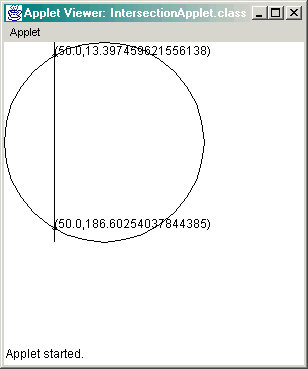
import java.applet.Applet;
import java.awt.Graphics;
import java.awt.Graphics2D;
import java.awt.geom.Ellipse2D;
import java.awt.geom.Line2D;
import javax.swing.JOptionPane;

/**
   An applet that computes and draws the intersection points
   of a circle and a line.
*/
public class IntersectionApplet extends Applet
{
   public IntersectionApplet()
   {
      String input
         = JOptionPane.showInputDialog("x:");
      x = Integer.parseInt(input);
   }

   public void paint(Graphics g)
   {
      Graphics2D g2 = (Graphics2D)g;

      double r = 100; // the radius of the circle

      // draw the circle

      Ellipse2D.Double circle
         = new Ellipse2D.Double(0, 0, 2 * RADIUS, 2 * RADIUS);
      g2.draw(circle);

      // draw the vertical line

      Line2D.Double line
         = new Line2D.Double(x, 0, x, 2 * RADIUS);
      g2.draw(line);

      // compute the intersection points

      double a = RADIUS;
      double b = RADIUS;

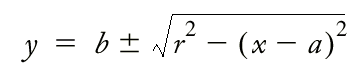
      double root = Math.sqrt(RADIUS * RADIUS - (x - a) * (x - a));
      double y1 = b + root;
      double y2 = b - root;

      // draw the intersection points

      LabeledPoint p1 = new LabeledPoint(x, y1);
      LabeledPoint p2 = new LabeledPoint(x, y2);

      p1.draw(g2);
      p2.draw(g2);
   }

   private static final double RADIUS = 100;
   private double x;
}
示範:

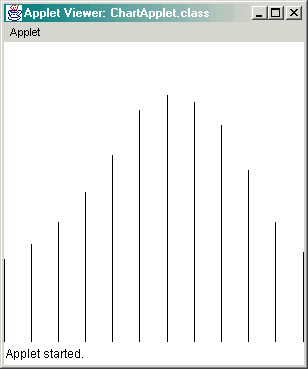
import java.applet.Applet;
import java.awt.Graphics;
import java.awt.Graphics2D;
import java.awt.geom.Line2D;

/**
   This applet draws a chart of the average monthly
   temperatures in Phoenix, AZ.
*/
public class ChartApplet extends Applet
{
   public void paint(Graphics g)
   {
      Graphics2D g2 = (Graphics2D)g;

      month = 1;

      drawBar(g2, JAN_TEMP);
      drawBar(g2, FEB_TEMP);
      drawBar(g2, MAR_TEMP);
      drawBar(g2, APR_TEMP);
      drawBar(g2, MAY_TEMP);
      drawBar(g2, JUN_TEMP);
      drawBar(g2, JUL_TEMP);
      drawBar(g2, AUG_TEMP);
      drawBar(g2, SEP_TEMP);
      drawBar(g2, OCT_TEMP);
      drawBar(g2, NOV_TEMP);
      drawBar(g2, DEC_TEMP);
   }

   /**
      Draws a bar for the current month and increments
      the month.
      @param g2 the graphics context
      @param temperature the temperature for the month
   */
   public void drawBar(Graphics2D g2, int temperature)
   {
      Line2D.Double bar
         = new Line2D.Double(xpixel(month), ypixel(0),
            xpixel(month), ypixel(temperature));

      g2.draw(bar);

      month++;
   }

   /**
      Converts from user coordinates to pixel coordinates
      @param xuser an x-value in user coordinates
      @return the corresponding value in pixel coordinates
   */
   public double xpixel(double xuser)
   {
      return (xuser - XMIN) * (getWidth() - 1) / (XMAX - XMIN);
   }

   /**
      Converts from user coordinates to pixel coordinates
      @param yuser a y-value in user coordinates
      @return the corresponding value in pixel coordinates
   */
   public double ypixel(double yuser)
   {
      return (yuser - YMAX) * (getHeight() - 1) / (YMIN - YMAX);
   }

   private static final int JAN_TEMP = 11;
   private static final int FEB_TEMP = 13;
   private static final int MAR_TEMP = 16;
   private static final int APR_TEMP = 20;
   private static final int MAY_TEMP = 25;
   private static final int JUN_TEMP = 31;
   private static final int JUL_TEMP = 33;
   private static final int AUG_TEMP = 32;
   private static final int SEP_TEMP = 29;
   private static final int OCT_TEMP = 23;
   private static final int NOV_TEMP = 16;
   private static final int DEC_TEMP = 12;

   private static final double XMIN = 1;
   private static final double XMAX = 12;
   private static final double YMIN = 0;
   private static final double YMAX = 40;

   private int month;
}
示範: