最近在寫.NET MVC專案的時候,有用到SignalR的套件,這裡整理一些使用範例
- 以下是範例環境
- .NET Framework 4.7.2
- Visual Studio Community 2019
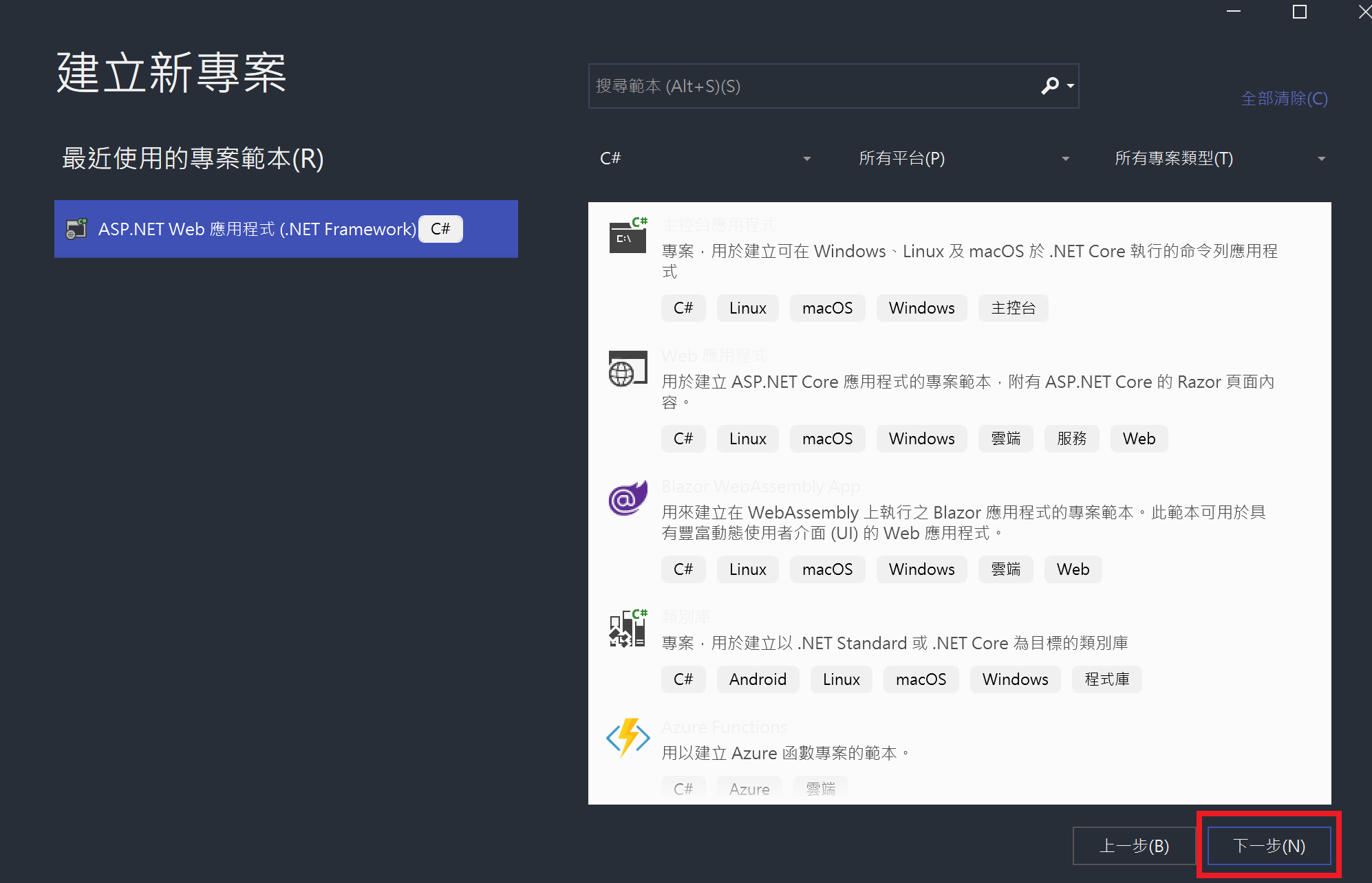
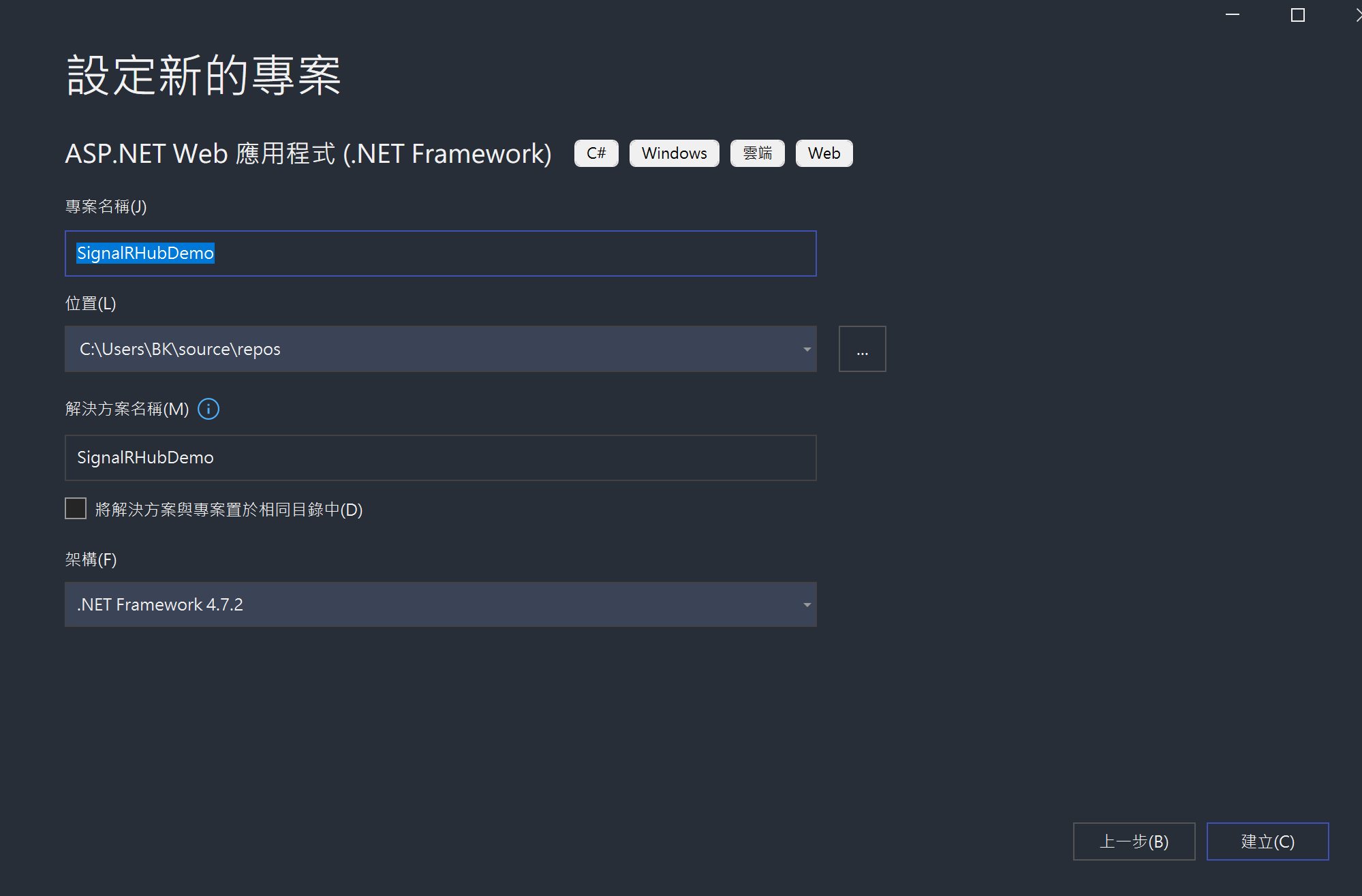
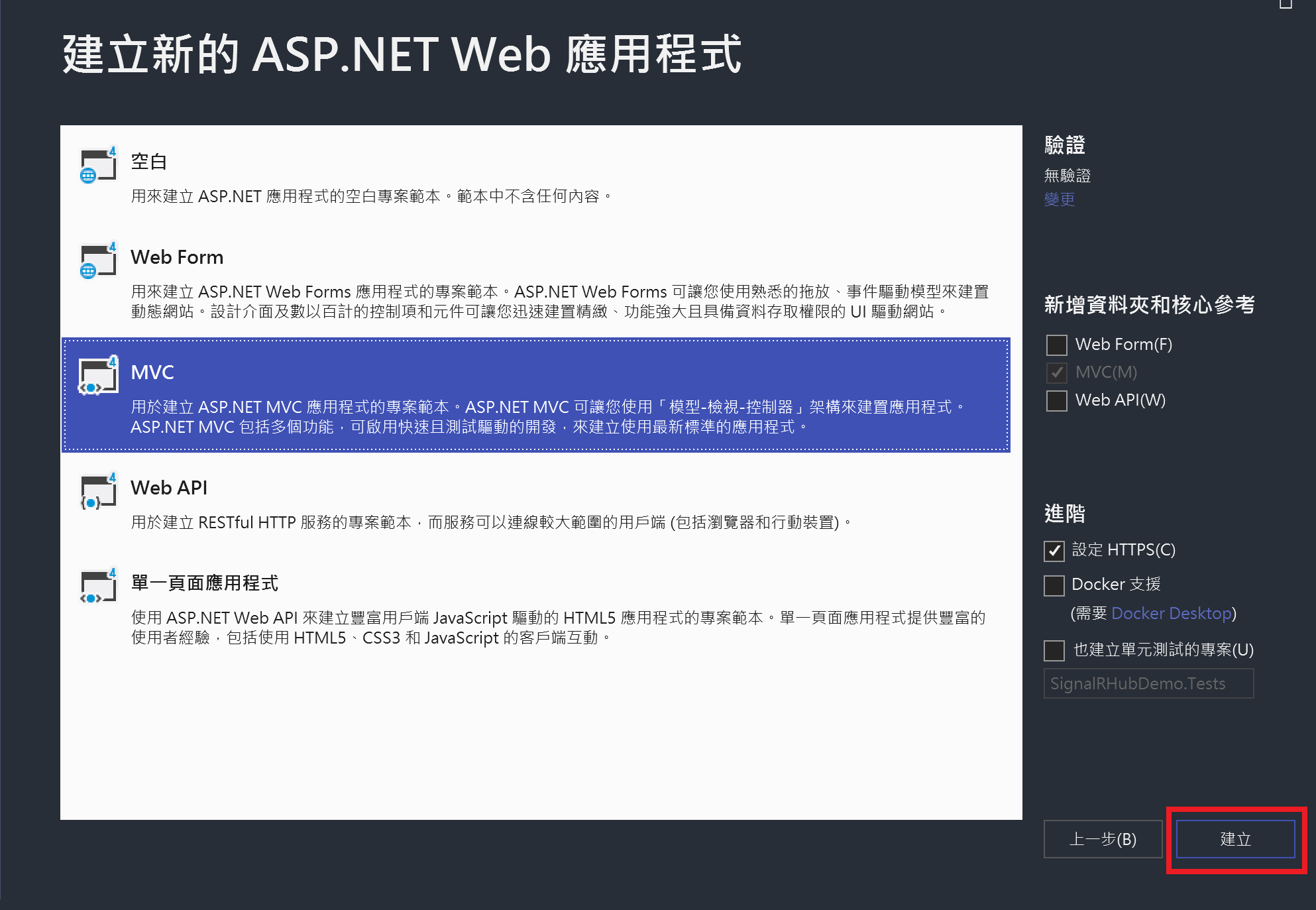
開啟 Visual Studio 2019 建立 .NET MVC 專案
用 Nuget 安裝 SignalR 套件
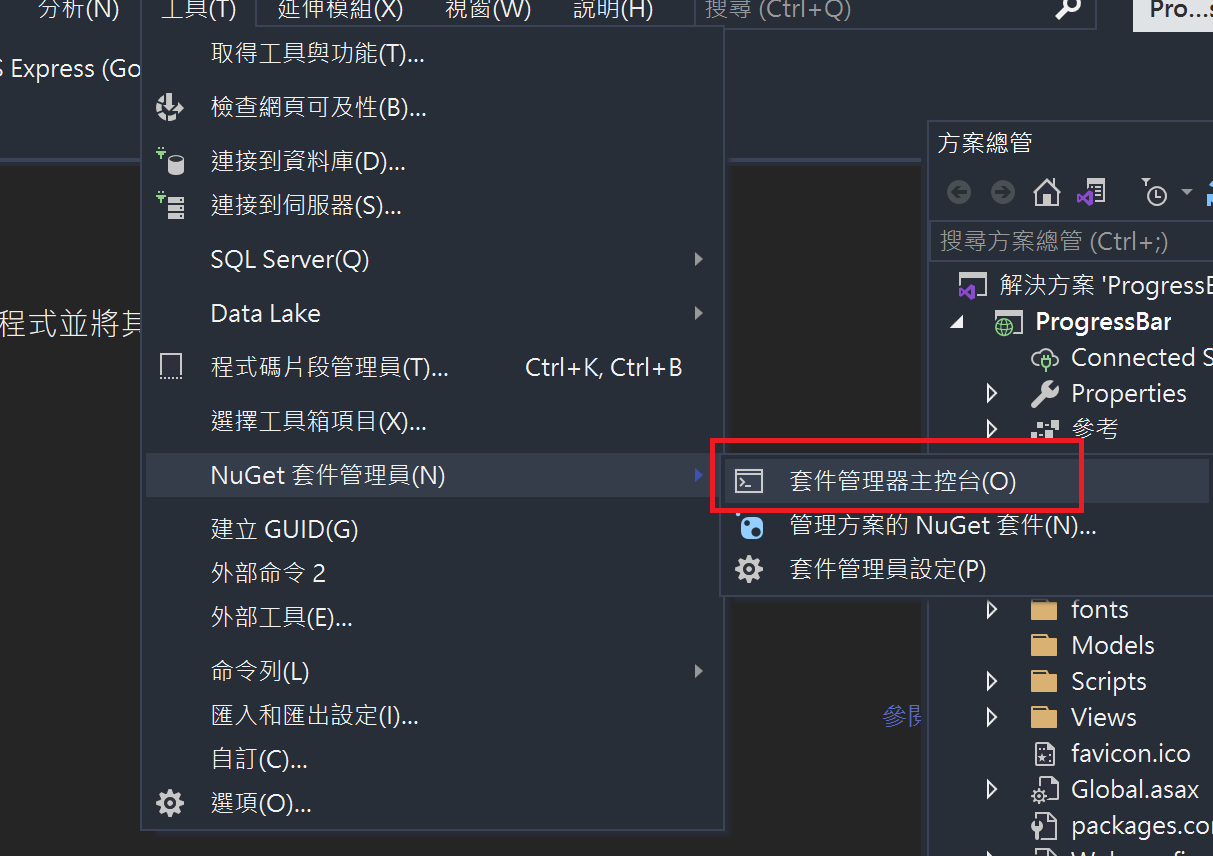
Install-Package Microsoft.AspNet.SignalR –Version 1.2.2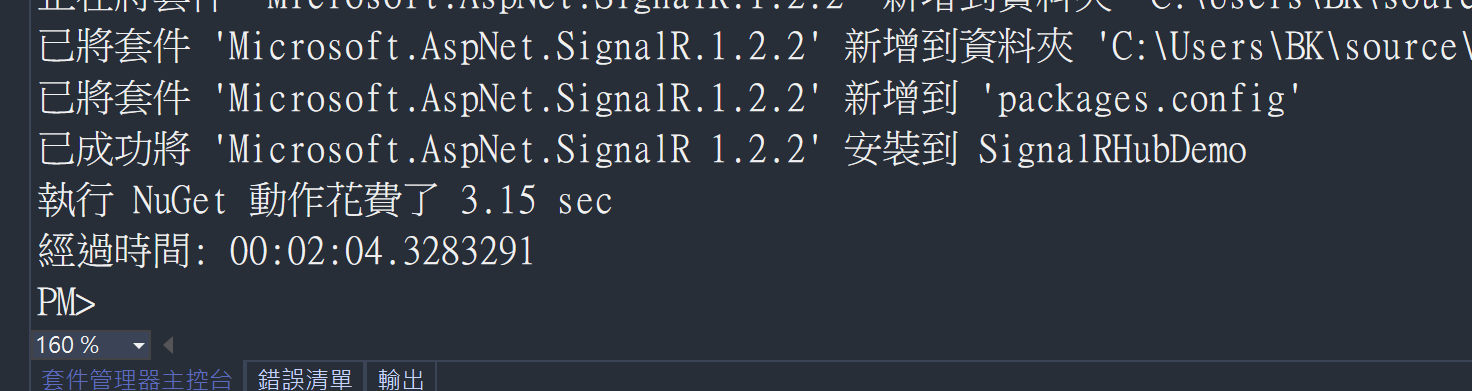
在
Global.asax中註冊Signalr在第一行加入
RouteTable.Routes.MapHubs();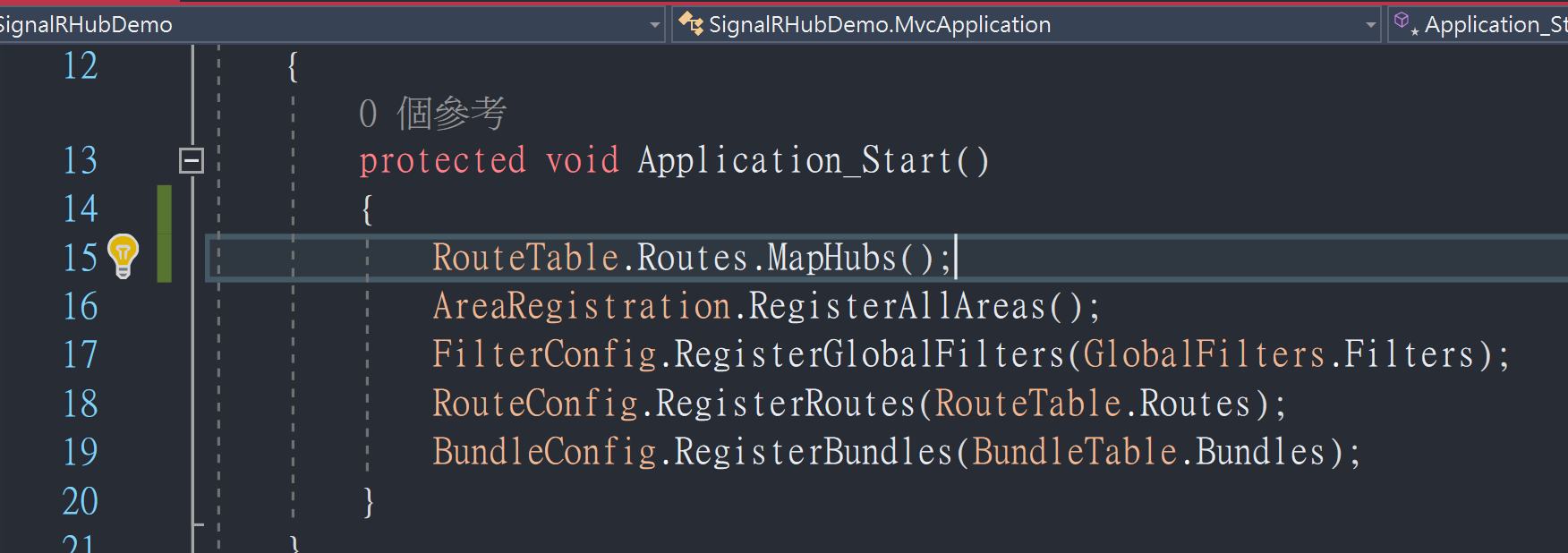
壹、在JS中調用 SignalR Hub
在方案總管中建立一個 SignalR 套件用來溝通 Server 與 Client 的 Hub 物件,取名為
MyHub1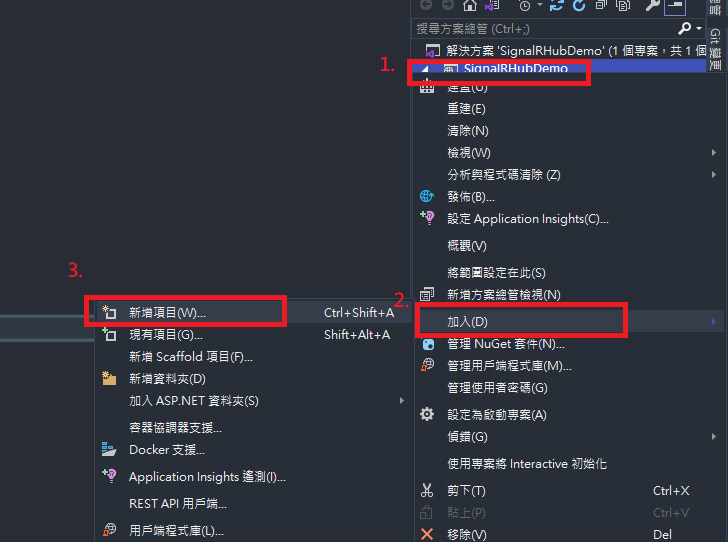
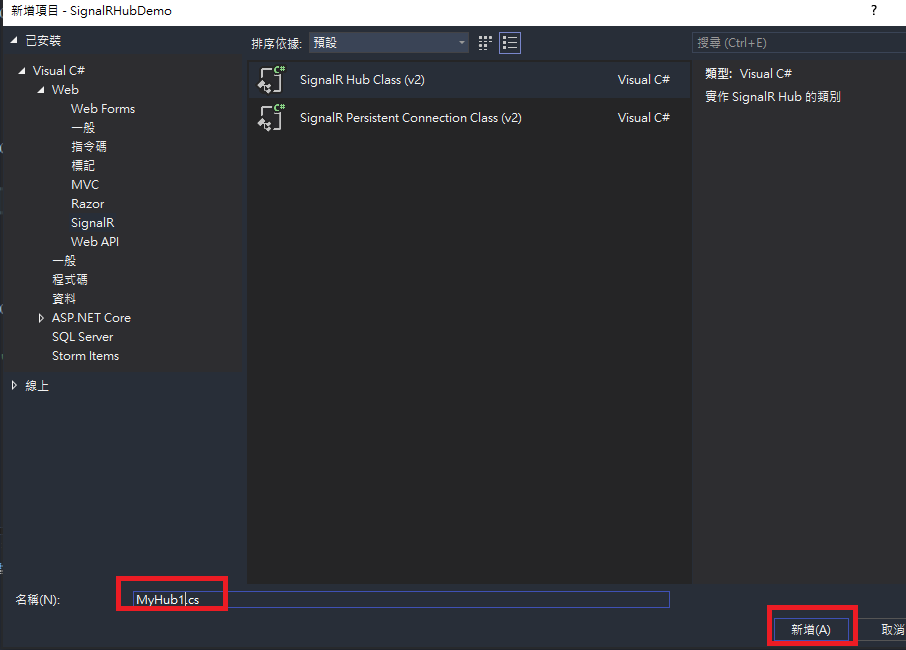
MyHub1.cs程式碼如下using Microsoft.AspNet.SignalR; using System; using System.Collections.Generic; using System.Linq; using System.Web; namespace SignalRHubDemo { public class MyHub1 : Hub { public void Hello() { Clients.All.hello(); } public void Hello(string message) { Clients.All.HubCallBack(message); } } }- 注意這裡
Hello(string message)是我們自己建立的函數,這個函數會使用Hub類別才能讀取的物件Clients, 將接收到的字串參數message 推播到所有的瀏覽器(Client)上,透過HubCallBack這個Javascript Method。 - 調用用戶端Javascript Method的語法為 Clients.All.JSMehtod,.ALL表示推播到所有透過SignalR套件建立連線的瀏覽器上。
- 特別注意
HubCallBack是覽器端的function,需要在瀏覽器端透過Call
back fucntion
的方式,傳回到SignalR中,已提供
MyHub1這個類別使用
- 注意這裡
在
HomeController中新增一個 Action 命名為 JSdemopublic ActionResult JSdemo() { return View(); }在路徑
\SignalRHubDemo\Views\Home\View的資料夾之下,新增ViewJSdemo.cshtml@{ Layout = null; } <!DOCTYPE html> <html> <head> <meta name="viewport" content="width=device-width" /> <title>JSdemo</title> </head> <body> <input id="mybutton" type="button" onclick="CallHubOnServer()" value="JSdemo" /> <div id="result"></div> <!--Reference the jQuery library. --> <script src="https://cdnjs.cloudflare.com/ajax/libs/jQuery-Validation-Engine/2.6.4/jquery-1.8.2.min.js"></script> <!--Reference the SignalR library. --> <script src="~/Scripts/jquery.signalR-1.2.2.js"></script> <!--Reference the autogenerated SignalR hub script. --> <script src="/signalr/hubs"></script> <script type="text/javascript"> $(function () { // initialize the connection to the server var myhub = $.connection.myHub1; // client-side sendMessage function that will be called from the server-side myhub.client.HubCallBack = function (message) { $("#result").html(message); }; //connection to the server and start server-side operation $.connection.hub.start().done(function () { console.log("Signalr 連線成功!"); }); }); function CallHubOnServer() { var myhub = $.connection.myHub1; myhub.server.hello('安安你好'); //注意 camel-case (hello 才可以呼叫 Hello) } </script> </body> </html>- 注意
signalR-1.2.2需要配合 JQuery 特定版本才能使用,這裡搭配jquery-1.8.2.min.js - 注意用以下語法可以取得SignalR 連線中的Hub物件,注意在javascript端需要用Camel case (駝峰式大小寫),來取得Hub類別的名稱,在這個例子就是需要用 myhub1來取得 MyHub1.cs這個類別。
var myhub = $.connection.myHub1;根據
MyHub1中定義的Javascript Method,我們在Javascript端傳入 Call back function,這個方法中使用JQuery來更改 id為 result的div元素中的顯示值,將其值設定為參數message。myhub.client.HubCallBack = function (message) { $("#result").html(message); };當SignalR已經建立完連線的時候,在Console中打印連線成功
$.connection.hub.start().done(function () {
    console.log("Signalr 連線成功!");
});
最後定義input button 需要呼叫的javascript 函數
function CallHubOnServer() {
    var myhub = $.connection.myHub1;
    myhub.server.hello('安安你好'); //注意 camel-case (hello 才可以呼叫  Hello)
}
注意在javascript 使用 Server side (MyHub1.cs)中的Method的時候,一樣要用Camel case 才能呼叫該方法
myhub.server.hello('安安你好');透過myhub這個Hub物件,呼叫Server Side的 Hello方法,並且將字串'安安你好'當作參數傳入。
- 注意
在
JSdemo.cshtml的畫面下按下Visual Studio 的編譯執行開啟瀏覽器的開發者模式,發現SignalR連線成功的訊息打印出來
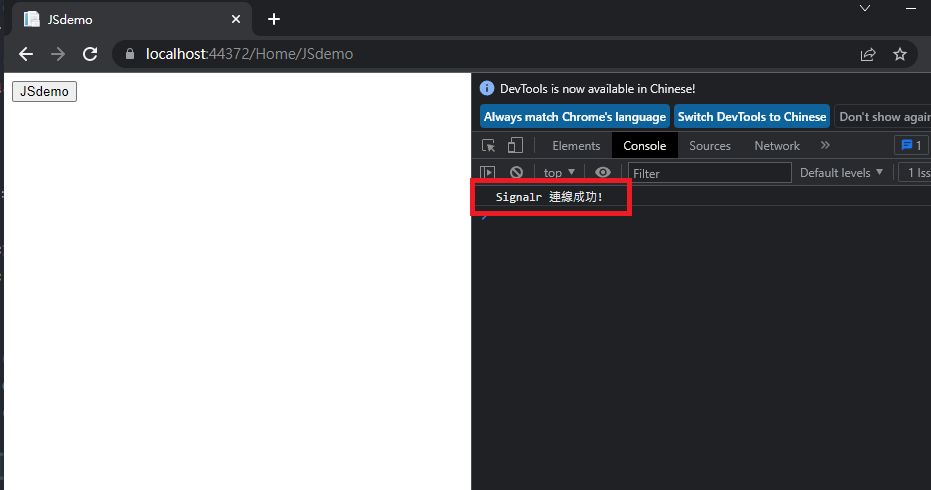
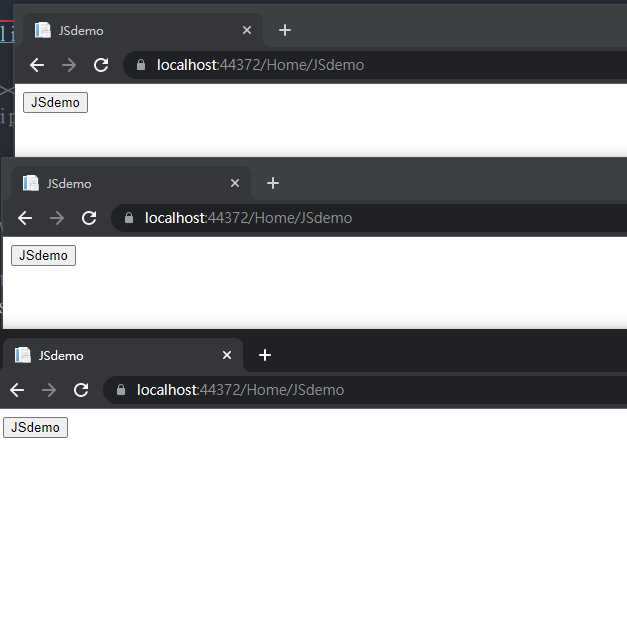
開啟三個瀏覽器
按下其中一個瀏覽器的 JSdemo按鈕,所有瀏覽器都被推播
'安安你好'訊息,即時添加這個訊息是透過Call back function傳入,然後被SignalR 的MyHub1.cs物件呼叫的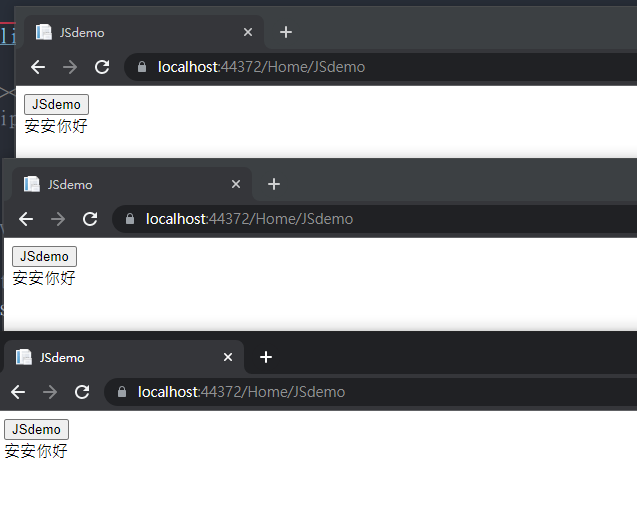
如果不想要對所有SignalR連線Client都推播,只想要對按下按鈕的那個瀏覽器推播,可以更改
MyHub1.cs中的public void Hello(string message)Method程式碼public void Hello(string message) { Clients.Caller.HubCallBack(message); }只按下最下面那個瀏覽器的
JSDemo按鈕,只會在最下面那個瀏覽器回應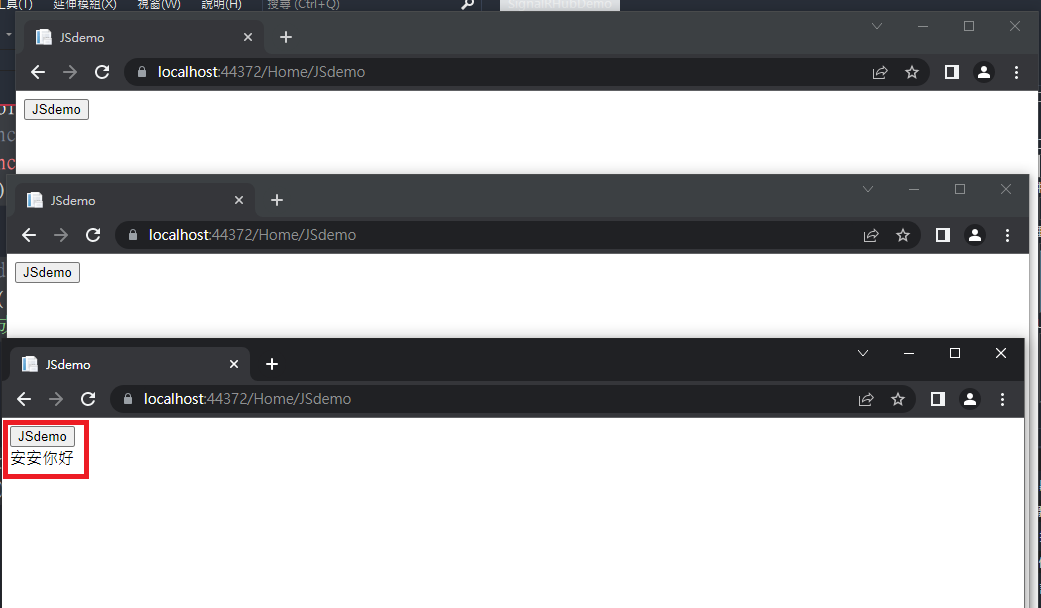
貳、在Controller 中調用 SignalR Hub
如果要在 MVC Controller 中是無法直接建立 Hub物件的,因為Hub物件的new與連線的維持都是透過 SignalR這個套件來支援,所以這裡我們要用比較迂迴的方法來使用 Hub
在路徑
\SignalRHubDemo\Views\Home\View的資料夾之下,新增ViewControllerDemo.cshtml@{ Layout = null; } <!DOCTYPE html> <html> <head> <meta name="viewport" content="width=device-width" /> <title>ControllerDemo</title> </head> <body> @using (Html.BeginForm("PostDemo", "Home", FormMethod.Post, new { target = "_blank" })) { <input type="text" id="message" name="message"> <br /> <input type="submit" value="Submit" /> } <div id="result"></div> <!--Reference the jQuery library. --> <script src="https://cdnjs.cloudflare.com/ajax/libs/jQuery-Validation-Engine/2.6.4/jquery-1.8.2.min.js"></script> <!--Reference the SignalR library. --> <script src="~/Scripts/jquery.signalR-1.2.2.js"></script> <!--Reference the autogenerated SignalR hub script. --> <script src="/signalr/hubs"></script> <script type="text/javascript"> $(function () { // initialize the connection to the server var myhub = $.connection.myHub1; // client-side sendMessage function that will be called from the server-side myhub.client.HubCallBack = function (message) { $("#result").html(message); }; //connection to the server and start server-side operation $.connection.hub.start().done(function () { console.log("Signalr 連線成功!"); }); }); </script> </body> </html>與之前
JSdemo.cshtml非常類似,只是取消了按下button呼叫Js的過程,改成對 web server發出一個Post請求,並且將text box的訊息傳入。注意
@using (Html.BeginForm("PostDemo", "Home", FormMethod.Post, new { target = "_blank" }))會在新的分頁中開啟Post的結果。會這樣設計是為了不要讓Post結果覆蓋原本的分頁,因為發出請求的瀏覽器上的 result element 會顯示出Post Request的結果。
在
HomeController中新增一個 Action 命名為 ControllerDemopublic ActionResult ControllerDemo() { return View(); }在
HomeController中新增一個 Action 命名為 PostDemo,這個Action用來來處理 Post Request,詳細的Action邏輯稍後在定義[HttpPost] public ActionResult PostDemo(string message) { //Some Code return Content("<script>alert('Posted');</script>"); }這個Post Action被呼叫之後,會用 Javascript 在網頁上跳出一個Alert ,其中顯示
'Posted'string message這個輸入參數,會接收Form中name=message的input,這種傳入法也稱為Model Binding接著我們來討論如何呼叫Hub的方法。
因為SignalR 的原因,Controller無法直接使用 Hub物件,所以我們需要透過以下
HubHelper類別才能夠在Controller 使用Hub物件Reference: https://stackoverflow.com/questions/40884050/signalr-uncaught-typeerror-currenthub-server-onconnected-is-not-a-function
建立HebHelper物件

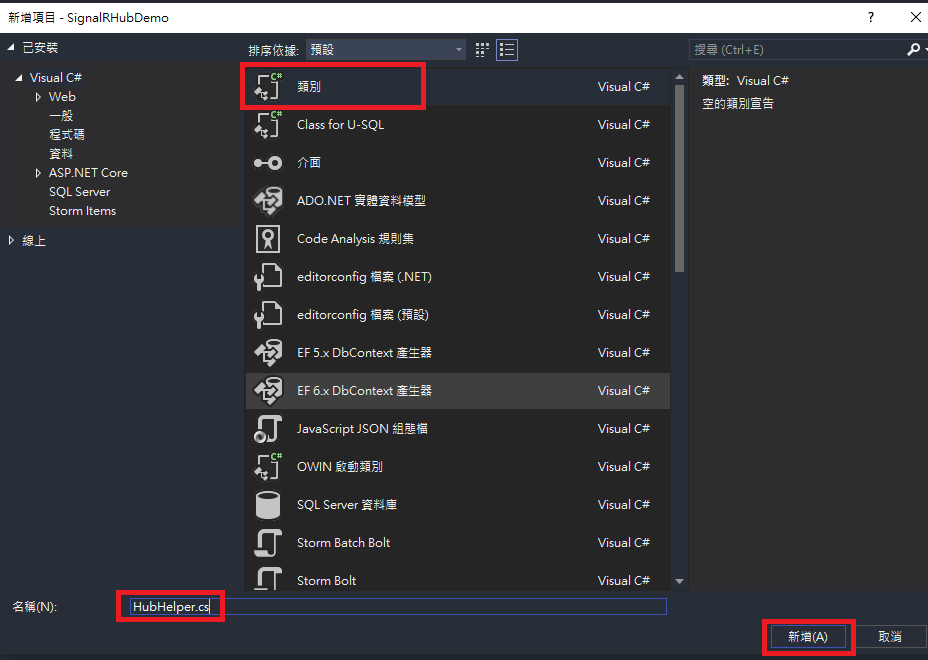
HubHelper.cs物件如下:using Microsoft.AspNet.SignalR; using System; using System.Collections.Generic; using System.Linq; using System.Web; namespace SignalRHubDemo { public class HubHelper { private IHubContext hub; public HubHelper(IHubContext hub) { this.hub = hub; } public void sendMessageToAll(string message) { hub.Clients.All.HubCallBack(message); } } }這是一個依賴注入(DI)的 pattern,我們將從Controller中取得
IHubContext再透過該物件來使用 Client 端的 Javascript方法,在這個HubHelper的定義中,我們一樣採用前一個範例的HubCallBack方法命名。最後再回來完成
HomeController.csusing Microsoft.AspNet.SignalR; using System; using System.Collections.Generic; using System.Linq; using System.Web; using System.Web.Mvc; namespace SignalRHubDemo.Controllers { public class HomeController : Controller { public ActionResult Index() { return View(); } public ActionResult JSdemo() { return View(); } public ActionResult ControllerDemo() { return View(); } [HttpPost] public ActionResult PostDemo(string message) { var hub = GlobalHost.ConnectionManager.GetHubContext<MyHub1>(); var helper = new HubHelper(hub); helper.sendMessageToAll(message); return Content("<script>alert('Posted');</script>"); } public ActionResult About() { ViewBag.Message = "Your application description page."; return View(); } public ActionResult Contact() { ViewBag.Message = "Your contact page."; return View(); } } }var hub = GlobalHost.ConnectionManager.GetHubContext<MyHub1>();這行可以取得IHubContext這個介面定義的物件,然後將其注入到HubHelper類別中- 最後在使用
HubHelper的instance來使用sendMessageToAll()這個方法,然後再使用Hub中的 Clients物件,Clients物件才有能力呼叫Client端的 javascript method。
在
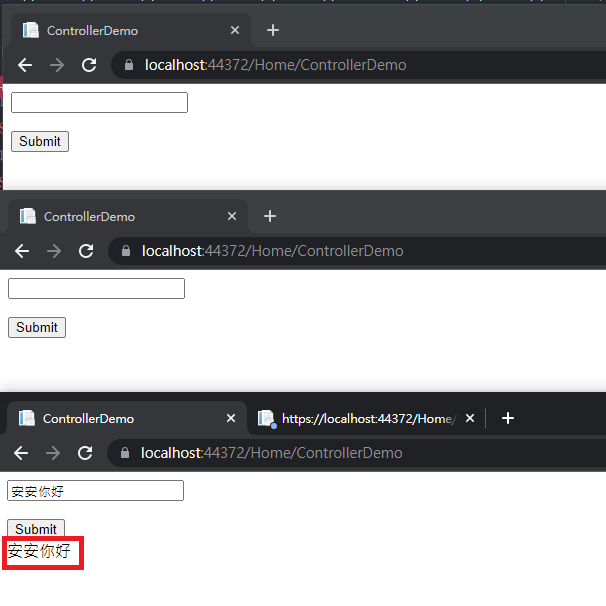
ControllerDemo.cshtml中執行,開啟三個頁面網址均為Home/ControllerDemo,並且在最下面的那個瀏覽器上輸入'安安你好'且按下Submit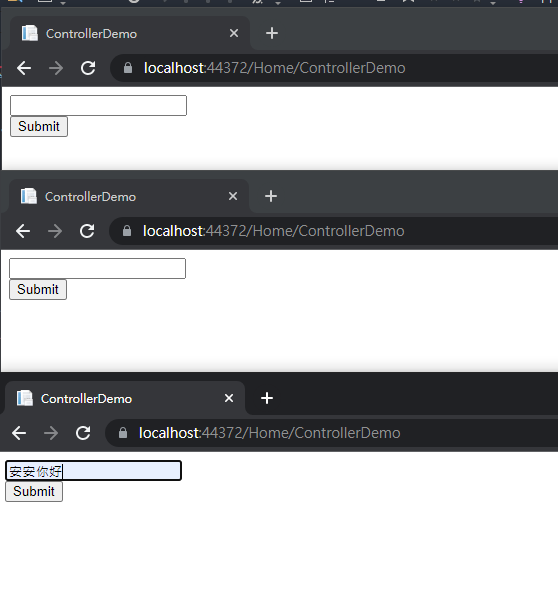
最下面的網頁會跳出一個新分頁,出現以下畫面
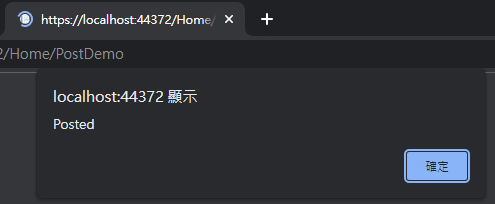
所有透過SignalR 建立連線的瀏覽器均出現
'安安你好'訊息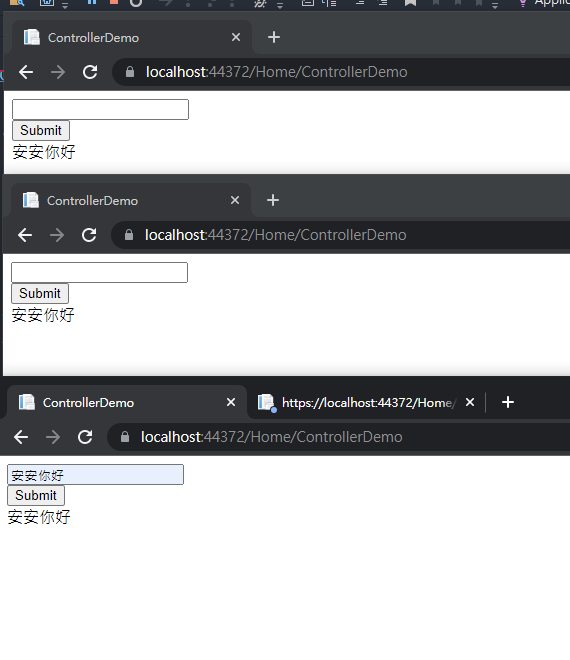
參、在Controller 中調用 SignalR Hub,只針對呼叫的那瀏覽器回應
要只針對特定瀏覽器回應,需要將connectionID 也當作Form的資訊Post到 Controller上,再做進一步處理
將
ControllerDemo.cshtml改寫為@{ Layout = null; } <!DOCTYPE html> <html> <head> <meta name="viewport" content="width=device-width" /> <title>ControllerDemo</title> </head> <body> @using (Html.BeginForm("PostDemo", "Home", FormMethod.Post, new { target = "_blank" })) { <input type="text" id="message" name="message"> <br /> <input type="hidden" id="connectionId" name="connectionId" value="test"/> <br /> <input type="submit" value="Submit" /> } <div id="result"></div> <!--Reference the jQuery library. --> <script src="https://cdnjs.cloudflare.com/ajax/libs/jQuery-Validation-Engine/2.6.4/jquery-1.8.2.min.js"></script> <!--Reference the SignalR library. --> <script src="~/Scripts/jquery.signalR-1.2.2.js"></script> <!--Reference the autogenerated SignalR hub script. --> <script src="/signalr/hubs"></script> <script type="text/javascript"> $(function () { // initialize the connection to the server var myhub = $.connection.myHub1; // client-side sendMessage function that will be called from the server-side myhub.client.HubCallBack = function (message) { $("#result").html(message); }; //connection to the server and start server-side operation $.connection.hub.start().done(function () { console.log("Signalr 連線成功! connectionID=" + myhub.connection.id); $("#connectionId").val(myhub.connection.id); }); }); </script> </body> </html>在Form中新增一個hidden的input
<input type="hidden" id="connectionId" name="connectionId" value="test"/>當SignalR建立連線成功後,會在console打印出連線成功,並且顯示連線的connectionId,並且將connectionId透過JQuery寫入Form的hidden input
$.connection.hub.start().done(function () {
    console.log("Signalr 連線成功! connectionID=" + myhub.connection.id);
    $("#connectionId").val(myhub.connection.id);
});
修改
HubHelper.csusing Microsoft.AspNet.SignalR; using System; using System.Collections.Generic; using System.Linq; using System.Web; namespace SignalRHubDemo { public class HubHelper { private IHubContext hub; public HubHelper(IHubContext hub) { this.hub = hub; } public void sendMessageToAll(string message) { hub.Clients.All.HubCallBack(message); } public void sendMessageToCaller(string connectionId, string message) { hub.Clients.Client(connectionId).HubCallBack(message); } } }- 這裡新增了一個Method 透過給定
connectionId來對特定的瀏覽器回應
- 這裡新增了一個Method 透過給定
修改
HomeController.csusing Microsoft.AspNet.SignalR; using System; using System.Collections.Generic; using System.Linq; using System.Web; using System.Web.Mvc; namespace SignalRHubDemo.Controllers { public class HomeController : Controller { public ActionResult Index() { return View(); } public ActionResult JSdemo() { return View(); } public ActionResult ControllerDemo() { return View(); } [HttpPost] public ActionResult PostDemo(string message, string connectionId) { var hub = GlobalHost.ConnectionManager.GetHubContext<MyHub1>(); var helper = new HubHelper(hub); helper.sendMessageToCaller(connectionId, message); return Content("<script>alert('Posted');</script>"); } public ActionResult About() { ViewBag.Message = "Your application description page."; return View(); } public ActionResult Contact() { ViewBag.Message = "Your contact page."; return View(); } } }在
ControllerDemo.cshtml中執行結果,並且開啟開發者模式,觀察Console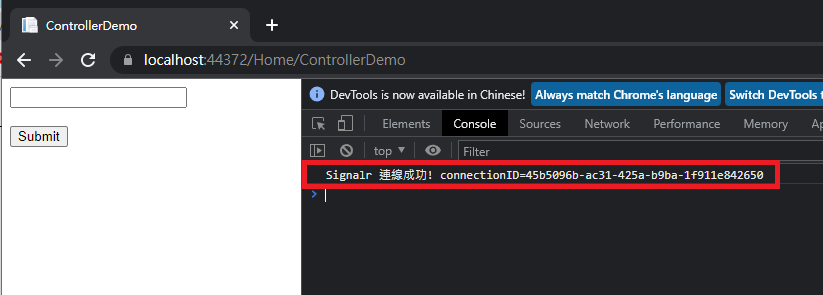
開啟三個分頁,且在最下面的分頁執行Submit
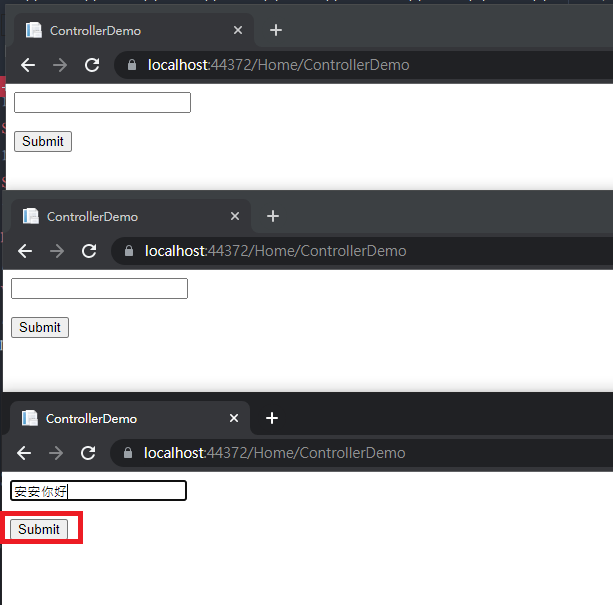
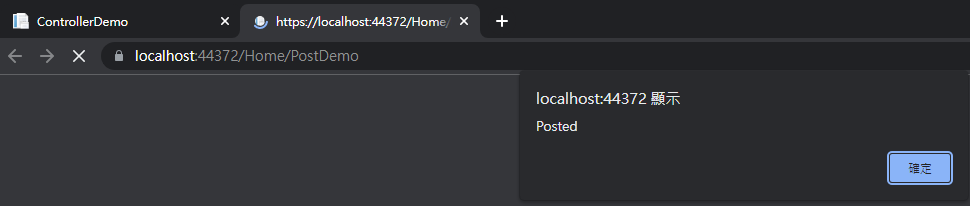
結果只有最下面的瀏覽器得到回應